AI-powered translation Dịch thuật bằng AI

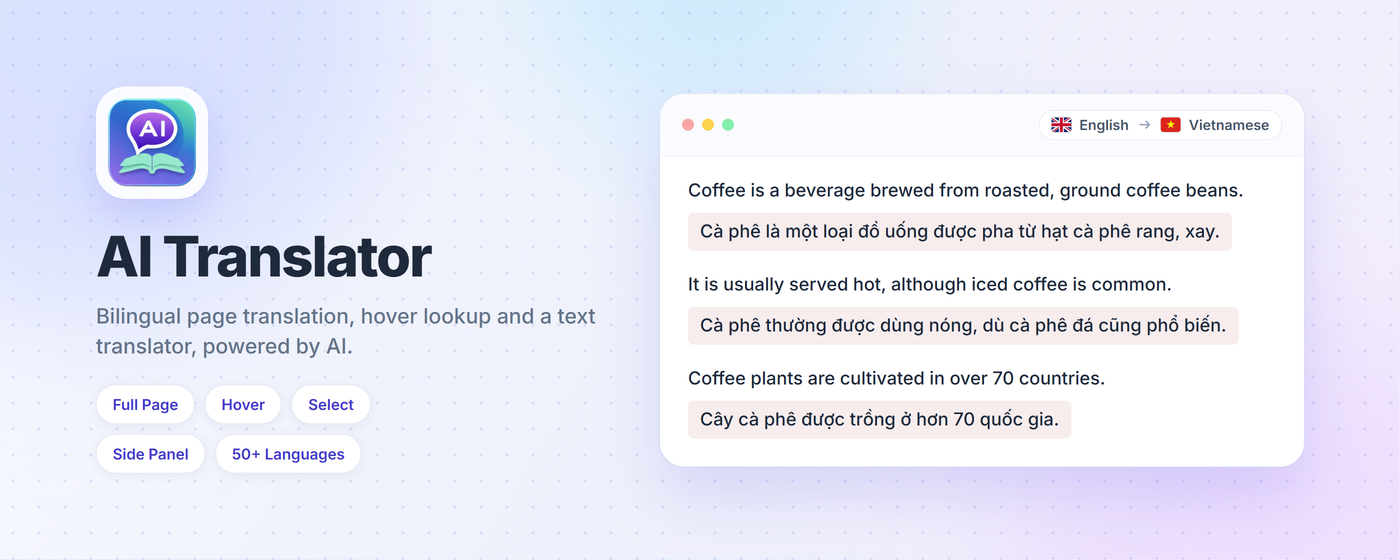
Translate. Dịch thuật. Instantly. Tức thì. Anywhere on the web. Ở bất cứ đâu trên web.

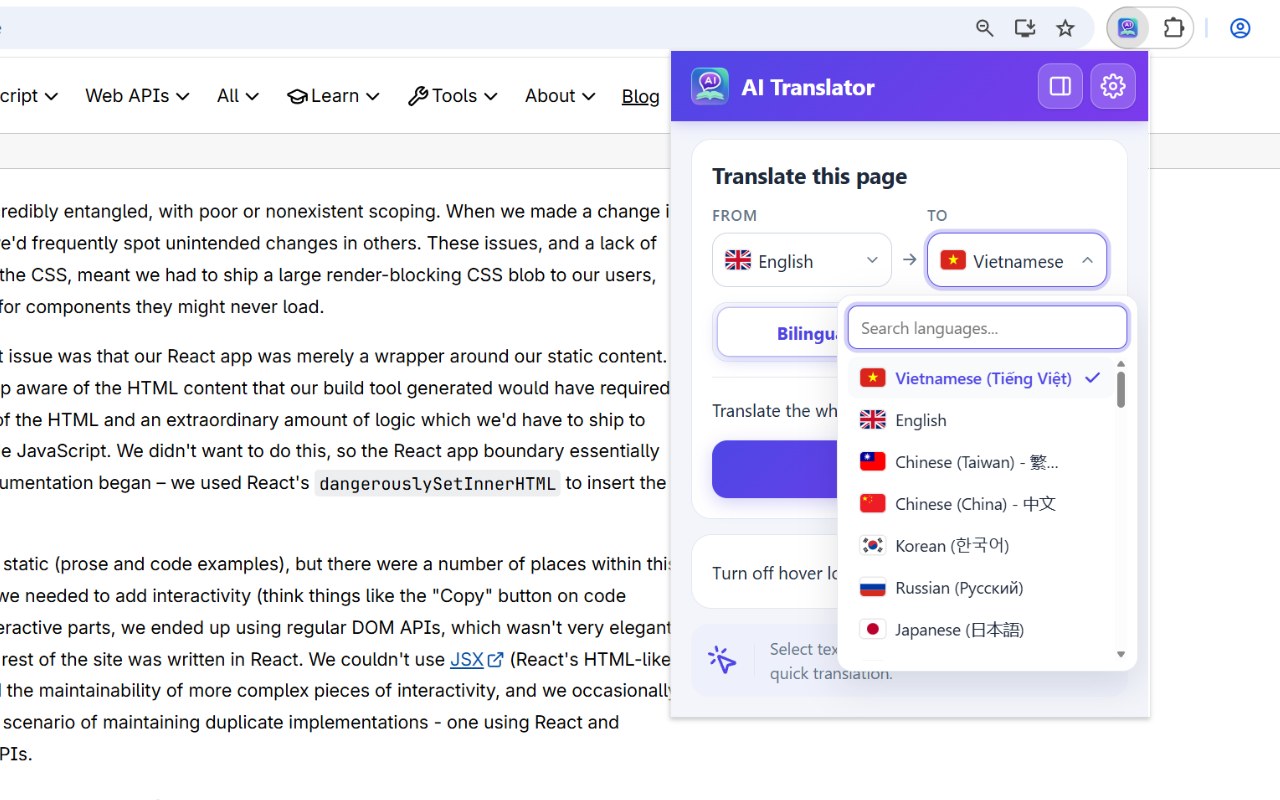
Translate a whole page side by side, hover for a quick look, select for a full translation, or paste text into the side panel. Accurate, context-preserving AI in 50+ languages. Dịch cả trang song ngữ, rê chuột để xem nhanh, bôi đen để dịch đầy đủ, hoặc dán văn bản vào side panel. AI dịch chính xác, giữ ngữ cảnh, hơn 50 ngôn ngữ.

360+ usersngười dùng ★★★★★ 5.0 Free foreverMiễn phí mãi mãi
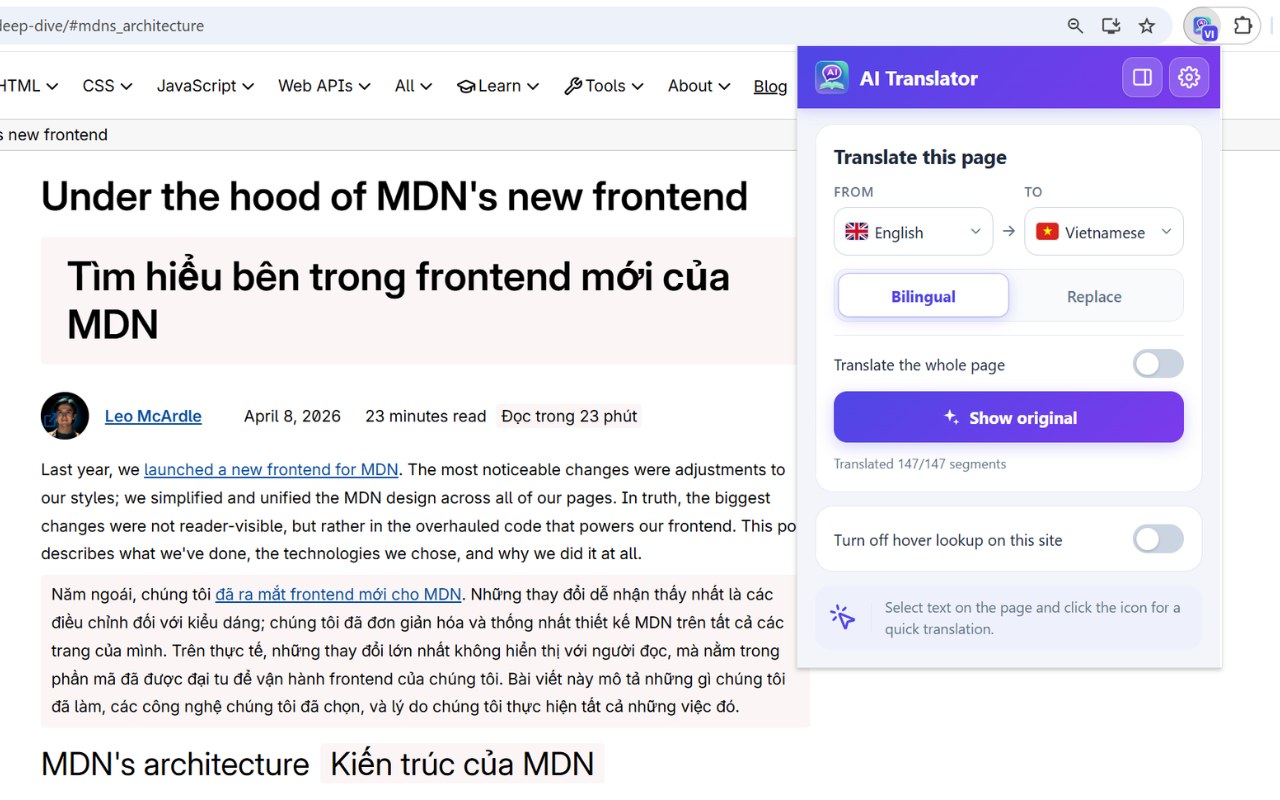
AI Translator translating an MDN article bilingually, with the popup reporting all 147 segments translated
FeaturesTính năng

Everything you need. Nothing you don't. Mọi thứ bạn cần. Không gì dư thừa.

Six thoughtfully designed features that make translating on the web effortless. Sáu tính năng được thiết kế chăm chút để dịch trên web trở nên dễ dàng.

📄

Full-page bilingual translationDịch cả trang song ngữ

One click translates the whole page. The original stays put and the translation appears right under each paragraph, or replaces it if you prefer. Menus, headers and footers are left alone so the layout never breaks. Một cú click dịch cả trang. Bản gốc giữ nguyên, bản dịch nằm ngay dưới từng đoạn, hoặc thay thế tại chỗ nếu bạn muốn. Menu, header và footer được giữ nguyên nên trang không bao giờ vỡ.

🧾

Side panel translatorKhung dịch văn bản

Open the side panel, paste up to 5000 characters, press Ctrl+Enter. Swap languages and copy the result, all without leaving the page you are reading. Mở side panel, dán tối đa 5000 ký tự, nhấn Ctrl+Enter. Đảo chiều ngôn ngữ, sao chép kết quả, không cần rời trang đang đọc.

🖱️

Hover translateDịch khi hover

Move your mouse over any text and see an instant translation appear in a beautiful tooltip. Di chuột qua bất kỳ văn bản nào, bản dịch hiện ra tức thì trong tooltip đẹp mắt.

📝

Select & right-clickBôi đen & chuột phải

Highlight text and click the floating icon, or right-click and choose Translate with AI Translator. A clean popup shows the full translation. Bôi đen văn bản rồi click icon nổi, hoặc chuột phải và chọn Dịch với AI Translator. Popup gọn gàng hiện bản dịch đầy đủ.

🌐

50+ languages, 21-language UI50+ ngôn ngữ, giao diện 21 thứ tiếng

Translate into Vietnamese, English, Chinese, Japanese, Korean, Thai, Spanish, French, German, Arabic and more. The extension itself speaks 21 languages, right-to-left included, in light or dark mode. Dịch sang Tiếng Việt, Anh, Trung, Nhật, Hàn, Thái, Tây Ban Nha, Pháp, Đức, Ả Rập và nhiều hơn nữa. Giao diện có 21 ngôn ngữ, hỗ trợ viết phải sang trái, sáng hoặc tối.

🔒

Privacy-firstƯu tiên riêng tư

No account, no tracking, no data sold. Text leaves your browser only when you ask for a translation, and nothing is stored long-term. Không tài khoản, không theo dõi, không bán dữ liệu. Văn bản chỉ rời trình duyệt khi bạn chủ động dịch, và không được lưu dài hạn.

How it worksCách hoạt động

Four ways to translate anything. Bốn cách để dịch mọi thứ.

Pick the workflow that matches how you read — from quick glances to careful study. Chọn cách làm phù hợp với cách bạn đọc — từ liếc nhanh đến đọc kỹ.

01 — Full pageCả trang

Read the whole page, side by side. Đọc cả trang, song song hai thứ tiếng.

Click Translate in the popup and every paragraph gets its translation right beneath it, the part you are looking at first. Switch to Replace to read in one language only. Show original brings the page back instantly. Bấm Dịch trong popup, từng đoạn nhận bản dịch ngay bên dưới, vùng đang xem được dịch trước. Chuyển sang Thay thế để chỉ đọc một ngôn ngữ. Bấm Hiện bản gốc là trang trở lại như cũ.

Bilingual page translation on an MDN article: the Vietnamese translation sits under each English paragraph
02 — HoverDi chuột

A glance is all you need. Chỉ cần một cái liếc.

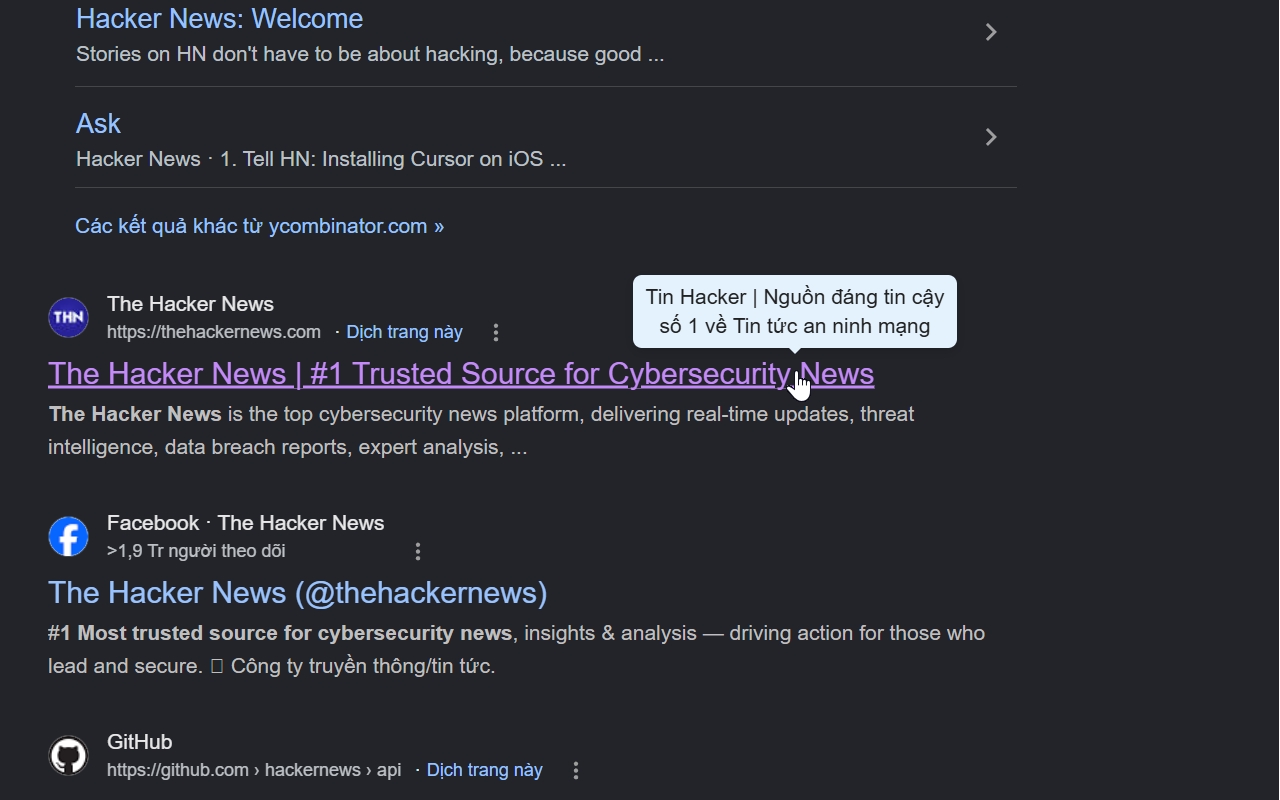
Move your mouse over any paragraph, headline, or link. After 200ms a small tooltip appears with the translation — no click required. Perfect for skimming foreign news or docs. Di chuột qua bất kỳ đoạn văn, tiêu đề hay link nào. Sau 200ms, tooltip nhỏ hiện ra với bản dịch — không cần click. Tuyệt vời để lướt nhanh báo hay tài liệu nước ngoài.

Hover translate demo showing instant tooltip translation of a Google search result
03 — SelectBôi đen

Read entire passages, beautifully. Đọc cả đoạn dài, đẹp mắt.

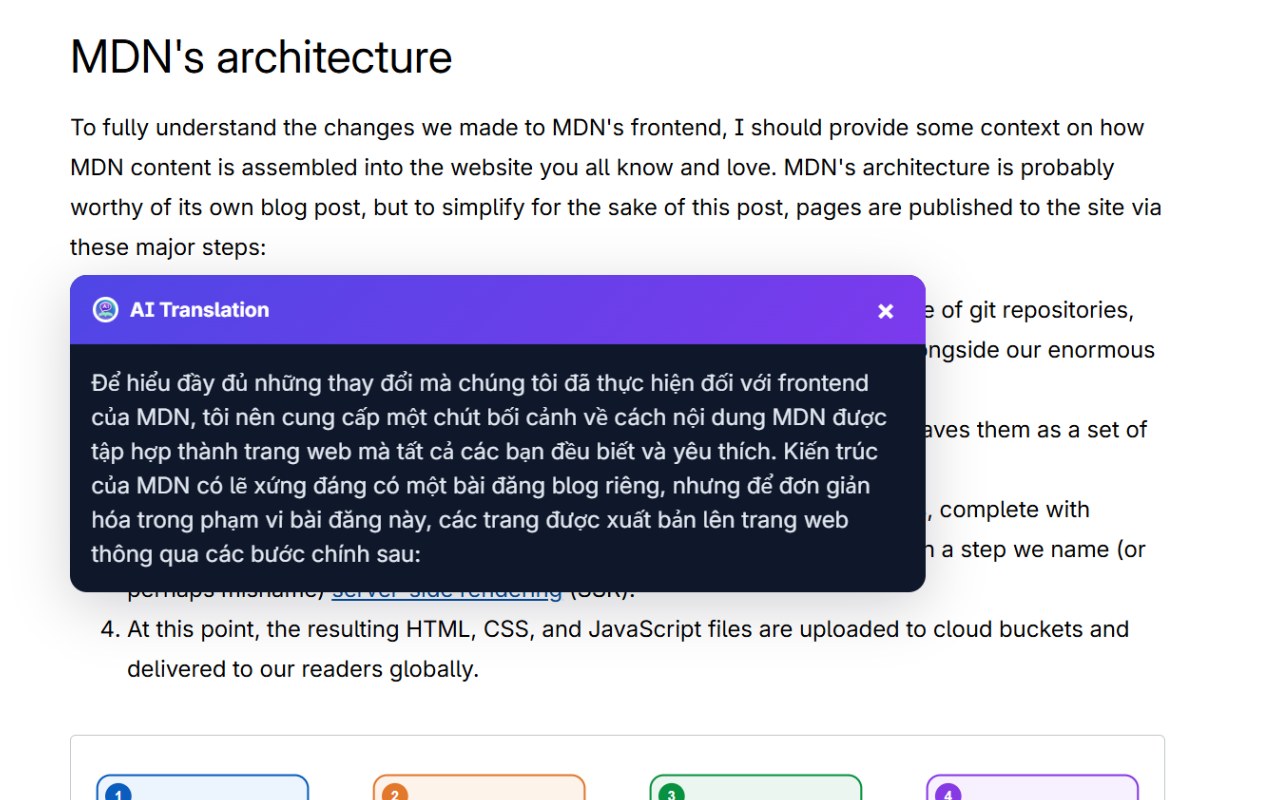
Highlight a sentence or paragraph and click the small floating icon, or right-click and choose Translate with AI Translator. A clean popup opens with a full AI translation that preserves tone, nuance, and proper nouns. Bôi đen một câu hay đoạn văn rồi click icon nổi, hoặc chuột phải và chọn Dịch với AI Translator. Popup gọn gàng mở ra với bản dịch AI đầy đủ, giữ nguyên tone, sắc thái và danh từ riêng.

Select translate popup showing a Vietnamese translation of a selected MDN paragraph
04 — Side panelSide panel

Bring your own text. Dịch văn bản của riêng bạn.

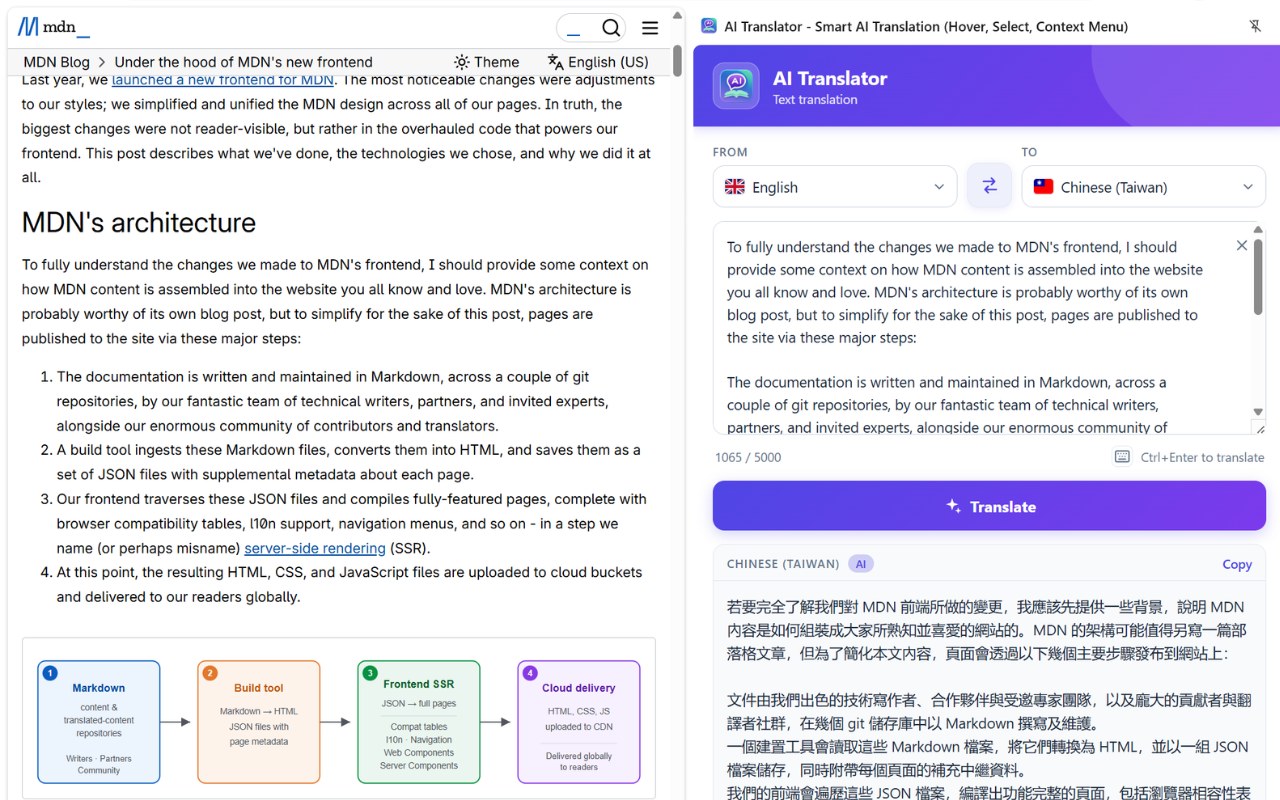
Open the side panel from the popup, paste or type up to 5000 characters and press Ctrl+Enter. The source language is detected for you, one button swaps direction, and the result is a click away from your clipboard. Mở side panel từ popup, dán hoặc gõ tối đa 5000 ký tự rồi nhấn Ctrl+Enter. Ngôn ngữ nguồn được tự nhận, một nút đảo chiều, sao chép kết quả chỉ một cú click.

Side panel translating an MDN paragraph from English into Chinese (Taiwan)
FAQ

Frequently asked questions. Câu hỏi thường gặp.

Is AI Translator really free? AI Translator có thực sự miễn phí không?

Yes. It is free to install and use. No subscription, no account required. Có. Miễn phí hoàn toàn để cài đặt và sử dụng. Không subscription, không cần tài khoản.

What AI model powers the translations? Mô hình AI nào đang chạy bản dịch?

Selections, the side panel and full-page translation go through our own server, which calls a current large language model and returns the result. For a whole page the model first builds a small glossary for that page, so terminology stays consistent from top to bottom. Hover tooltips use a faster lightweight engine for near-zero latency. Bôi đen, side panel và dịch cả trang đi qua server riêng của chúng tôi, gọi tới một mô hình ngôn ngữ lớn hiện đại rồi trả kết quả về. Với cả trang, mô hình lập trước một bảng thuật ngữ nhỏ cho trang đó để từ ngữ nhất quán từ đầu đến cuối. Hover tooltip dùng engine nhẹ hơn để phản hồi gần như tức thì.

Does AI Translator collect or sell my data? AI Translator có thu thập hay bán dữ liệu của tôi không?

No. We never sell data. Text is sent to our server only when you trigger a translation (hover, select, right-click, the side panel or the translate page button) and used solely to produce the result. Whole-page translation also sends the page address and headings so the AI can keep terminology consistent. We do not store translations long-term, do not track browsing, and do not serve ads. The privacy policy has the full list. Không. Chúng tôi không bao giờ bán dữ liệu. Văn bản chỉ được gửi tới server khi bạn kích hoạt dịch (hover, bôi đen, chuột phải, side panel hoặc nút dịch trang), và chỉ để tạo ra bản dịch. Dịch cả trang gửi thêm địa chỉ trang và các tiêu đề để AI giữ thuật ngữ nhất quán. Chúng tôi không lưu bản dịch dài hạn, không theo dõi lịch sử duyệt web và không chạy quảng cáo. Chính sách quyền riêng tư liệt kê đầy đủ.

Which languages are supported? Những ngôn ngữ nào được hỗ trợ?

50+ languages including Vietnamese, English, Chinese (Simplified & Traditional), Japanese, Korean, Thai, Lao, Spanish, French, German, Russian, Portuguese, Arabic, Hebrew, Hindi, Bengali, Filipino, Indonesian, Malay, and many more. Hơn 50 ngôn ngữ bao gồm Tiếng Việt, Anh, Trung (Giản thể & Phồn thể), Nhật, Hàn, Thái, Lào, Tây Ban Nha, Pháp, Đức, Nga, Bồ Đào Nha, Ả Rập, Do Thái, Hindi, Bengali, Filipino, Indonesia, Mã Lai và nhiều ngôn ngữ khác.

Can I disable hover translate on specific sites? Có thể tắt hover translate trên một số trang cụ thể không?

Yes. Open the popup on any site and flip Turn off hover lookup on this site. You can also switch hover lookup off everywhere in Settings. You stay in control. Có. Mở popup trên bất kỳ trang nào và bật Tắt tra cứu khi di chuột trên trang này. Bạn cũng có thể tắt hẳn trong Cài đặt. Bạn kiểm soát hoàn toàn.

Will full-page translation break the page layout? Dịch cả trang có làm vỡ bố cục trang không?

It is designed not to. Bilingual mode keeps every original element in place and adds the translation beneath it. Menus, headers and footers are skipped by default (there is a switch to include them), and short labels in tight bars are handled so nothing overflows. Show original restores the page instantly. Được thiết kế để không vỡ. Chế độ song ngữ giữ nguyên mọi phần tử gốc và thêm bản dịch bên dưới. Menu, header và footer mặc định được bỏ qua (có công tắc để dịch luôn), nhãn ngắn trong các thanh hẹp được xử lý để không tràn. Hiện bản gốc trả trang về ngay lập tức.

Can I translate my own text, not just a webpage? Tôi có thể dịch văn bản của mình, không chỉ trang web?

Yes. Click the side panel button in the popup, paste or type up to 5000 characters and press Ctrl+Enter. The panel detects the source language, lets you swap direction, and copies the result with one click. Có. Bấm nút side panel trong popup, dán hoặc gõ tối đa 5000 ký tự rồi nhấn Ctrl+Enter. Khung dịch tự nhận ngôn ngữ nguồn, cho đảo chiều và sao chép kết quả bằng một cú click.

Does it work on Firefox / Edge / Brave? Có hoạt động trên Firefox / Edge / Brave không?

AI Translator works on all Chromium-based browsers (Chrome, Edge, Brave, Arc, Opera). A Firefox port is on the roadmap. AI Translator chạy trên mọi trình duyệt nền Chromium (Chrome, Edge, Brave, Arc, Opera). Bản Firefox đang trong lộ trình.

Ready to translate the web? Sẵn sàng dịch cả thế giới web?

Install AI Translator in 10 seconds. Free forever. No sign-up. Cài AI Translator trong 10 giây. Miễn phí mãi. Không cần đăng ký.

Install free on Chrome Cài miễn phí trên Chrome

Questions? Email Có thắc mắc? Email [email protected]